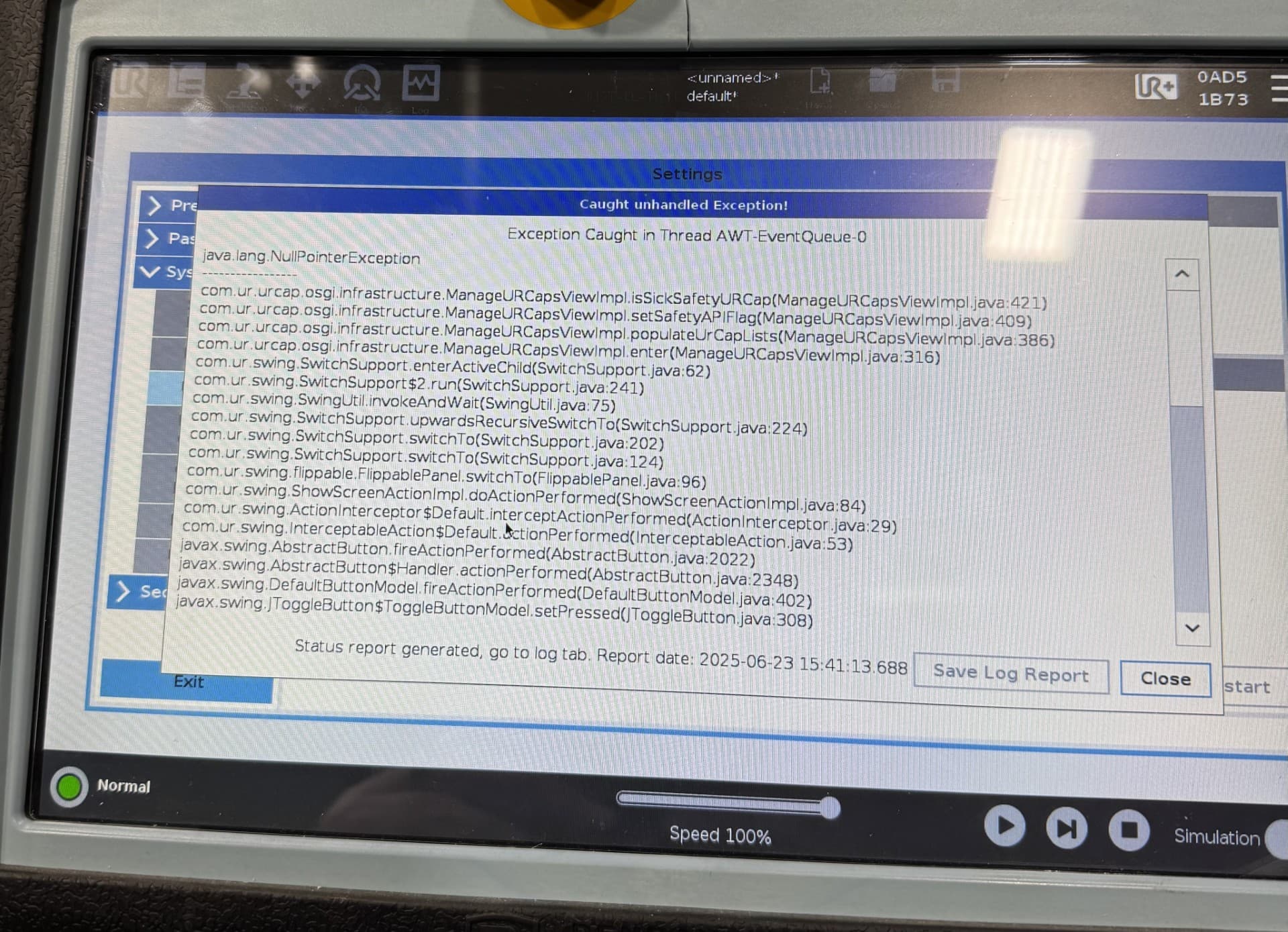
when we are trying to uninstall or install URCaps i am getting a java error and when this error appears the window locks up then requires a restart
is there a way to fix this issue i have been told i will have to re-image the system to current polyscope and URCaps any advice would be greatly appriciated
somehow and it could be complete lack of knowledge during the install of urcaps something went wrong and i am trying to install the latest urcaps and i keep getting the java error every time i try to access the urcaps selection on the settings menu ur robotiq and ur are recommending a re-image of the program
A reimage might do it, but it seems like overkill. I would try plugging a keyboard into the pendent, hitting Ctrl+Alt+F1 to get to the terminal. Login with username = “root”, password = “easybot” and then navigate to the “.urcaps” folder and manually delete the jar file. (run rm com.robotiq [hit tab to auto complete the rest of the name])
If you’re super uncomfortable with Linux, then maybe reimaging is easier. Just feels like you run the risk of losing other data you care about if you go that route. Obviously backup everything before going further.
And if you need it, Ctrl+Alt+F7 takes you back to Polyscope
Yeah never used linux at all
we were able to reimage with 5.22 polyscope and the current URCaps and system came up fine we have a couple of moves that are coming up as discontinuous path detected however the system is up and running so that is a huge plus
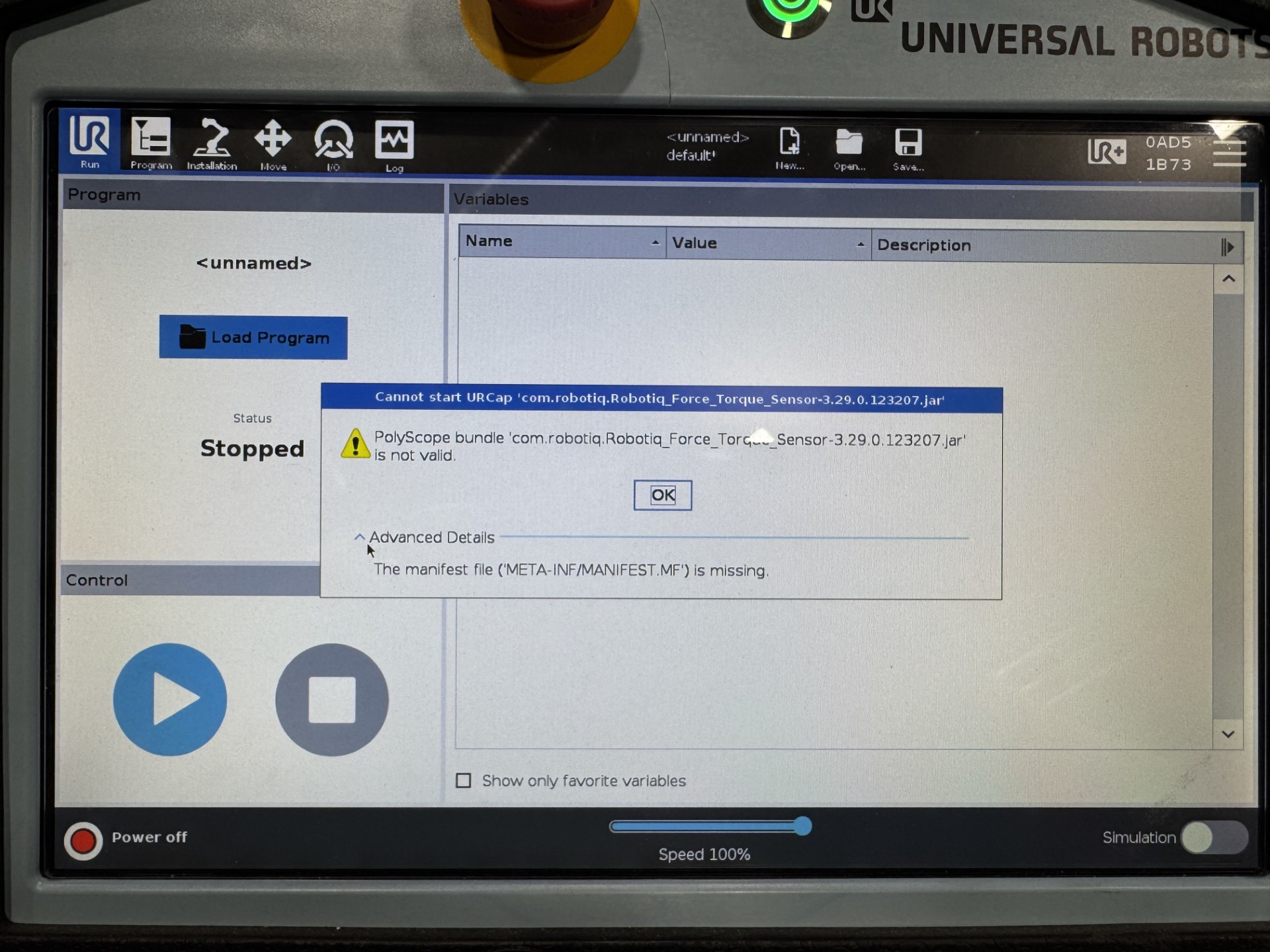
 You must have at least 5.21 to run that version of the Robotiq URCap.